The web Browser you are currently using is unsupported, and some features of this site may not work as intended. Please update to a modern browser such as Chrome, Firefox or Edge to experience all features Michigan.gov has to offer.
MiFellowship Tracker Portal Navigation Guide
Learn what information and tools are available to you in the MiFellowship Tracker Portal.
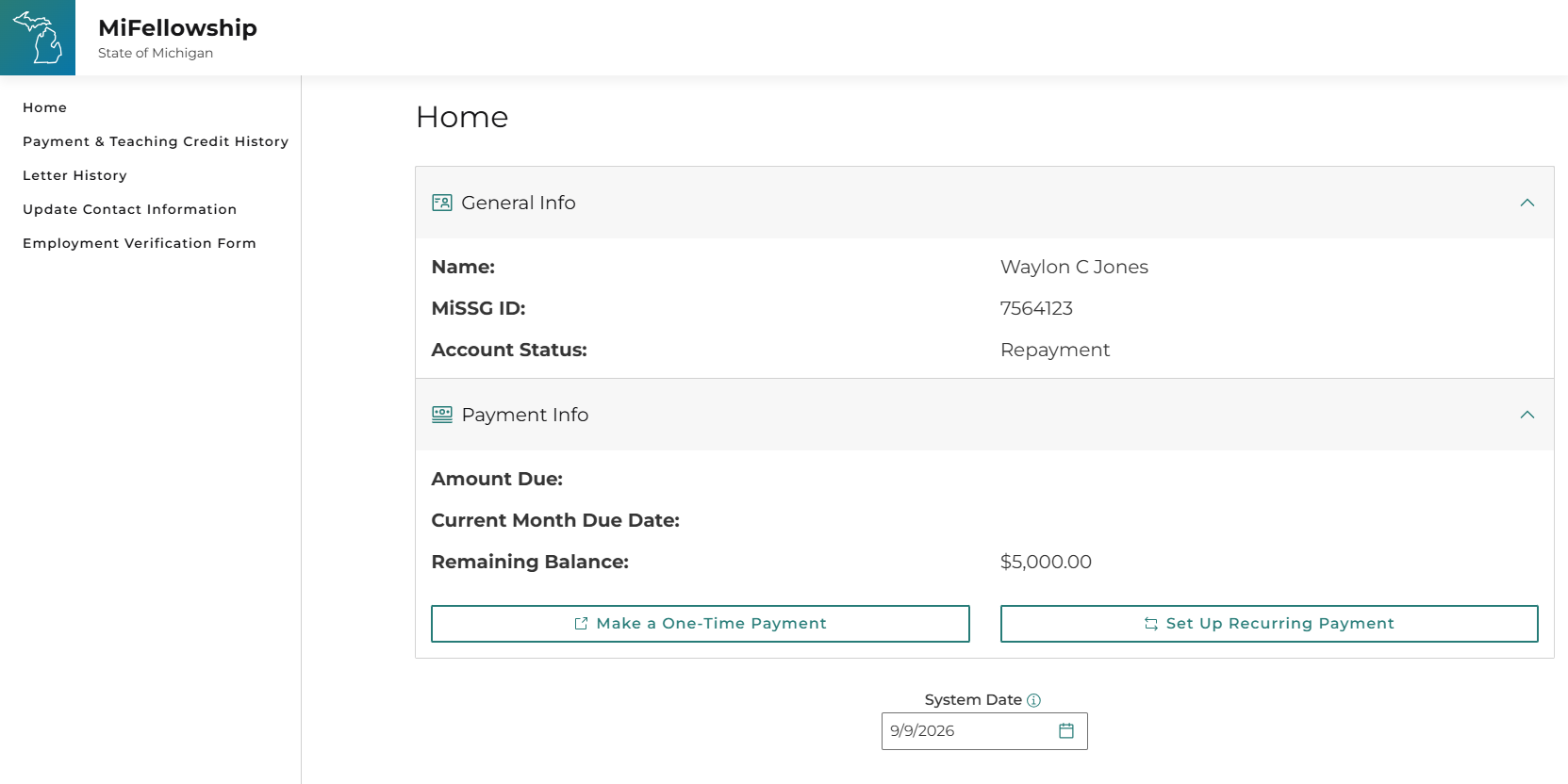
From the Home page, you can view general information and payment information. Details include account status, account balance, and links to make one-time payments or set up recurring payments.
The Payment and Teaching Credit History tab provides an overview payment activity. From this page, you can see when payments were made, how they were applied to your account, and how much teaching credit you earned and when it was added.
The Letter History tab allows you to see when each letter was mailed, the letter type, and the letter details. Select View Details to read the information included in each letter.
The Update Contact Information tab lets you see your current address and contact information and make changes if needed. Updates may take up to two business days to refresh.
The Employment Verification Form is available if you need to update your current position. Fill out the form online, then save or print the form to be e-mailed or U.S. mailed per the form instructions.