
The web Browser you are currently using is unsupported, and some features of this site may not work as intended. Please update to a modern browser such as Chrome, Firefox or Edge to experience all features Michigan.gov has to offer.
Michigan Reconnect Refund Walkthrough
Step-by-Step Guide for Completing a Refund Worksheet
Michigan Reconnect Scholarship/Michigan Reconnect Expansion Scholarship
This guide provides instructions for completing refund worksheets in the following situations:
- Prior year refunds
- Year-end balancing involving only negative amounts
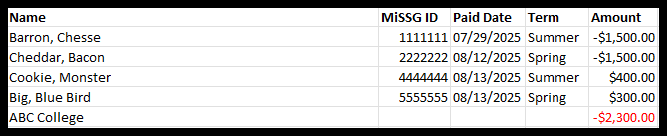
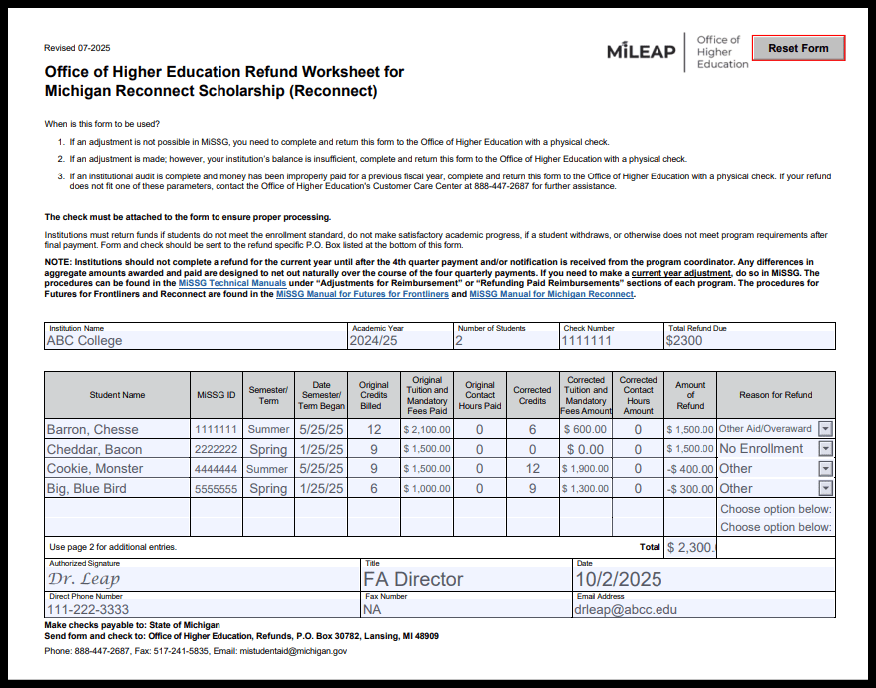
- Year-end balancing involving both positive and negative amounts
- Prior Year Refund
Prior Year Refund
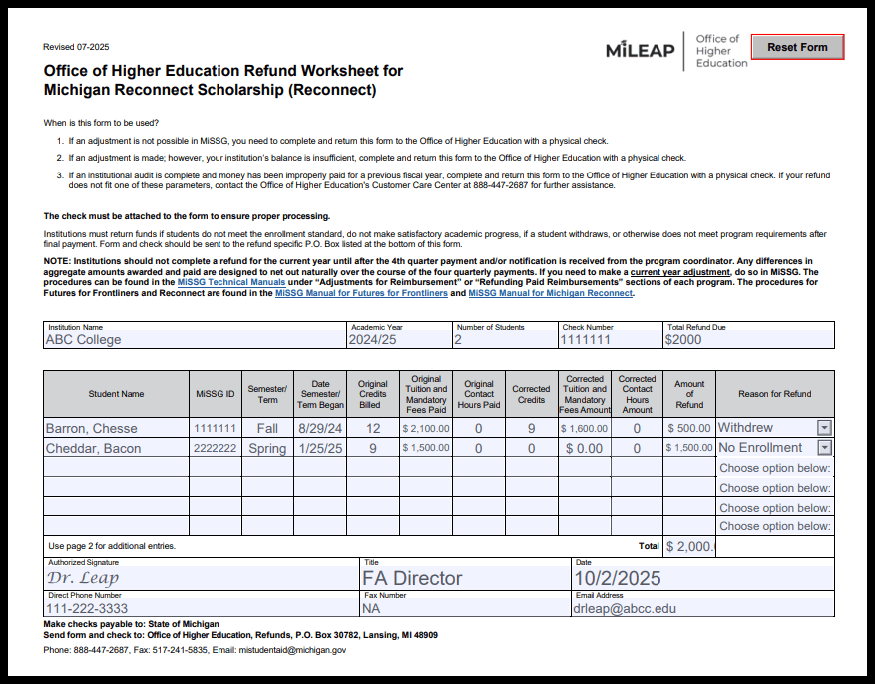
How to Complete a Refund Worksheet to Return Prior Year Funds
Make sure ALL the HIGHLIGHTED FIELDS are completed. These include:
- Institution Name
- Academic Year
- Number of Students
- Check Number
- Total Refund Due
- Student Name
- MISSG ID
- Semester/Term Date Semester/Term Began
- Original Credits Billed
- Original Tuition and Mandatory Fees Paid
- Original Contact Hours Paid
- Corrected Credits
- Corrected Tuition and Mandatory Fees Amount
- Corrected Contact Hours Amount
- Amount of Refund
- Reason for Refund
- Authorized Signature
- Title
- Date
- Direct Phone Number
- Email Address