
Sustaining Partner Guide

Fostering Futures Scholarship Trust Fund logo
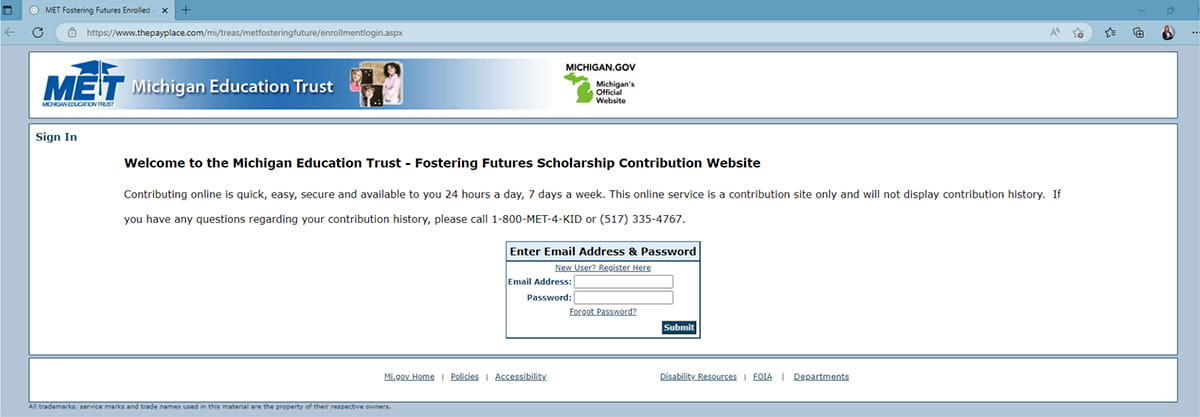
Step 1 - Go to secure payment site
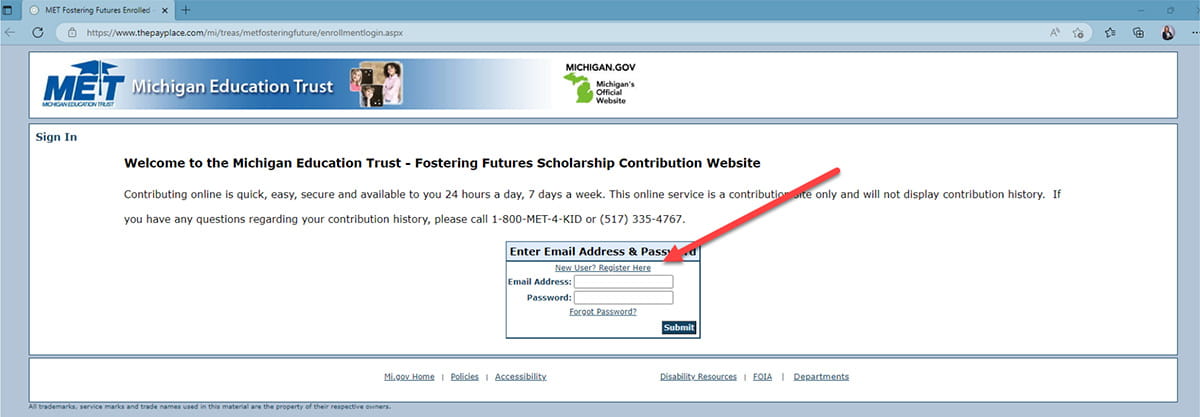
Step 2 - Click Register link

Screenshot of the login page of the donation website, with a red arrow pointing to the "New User? Register Here" link

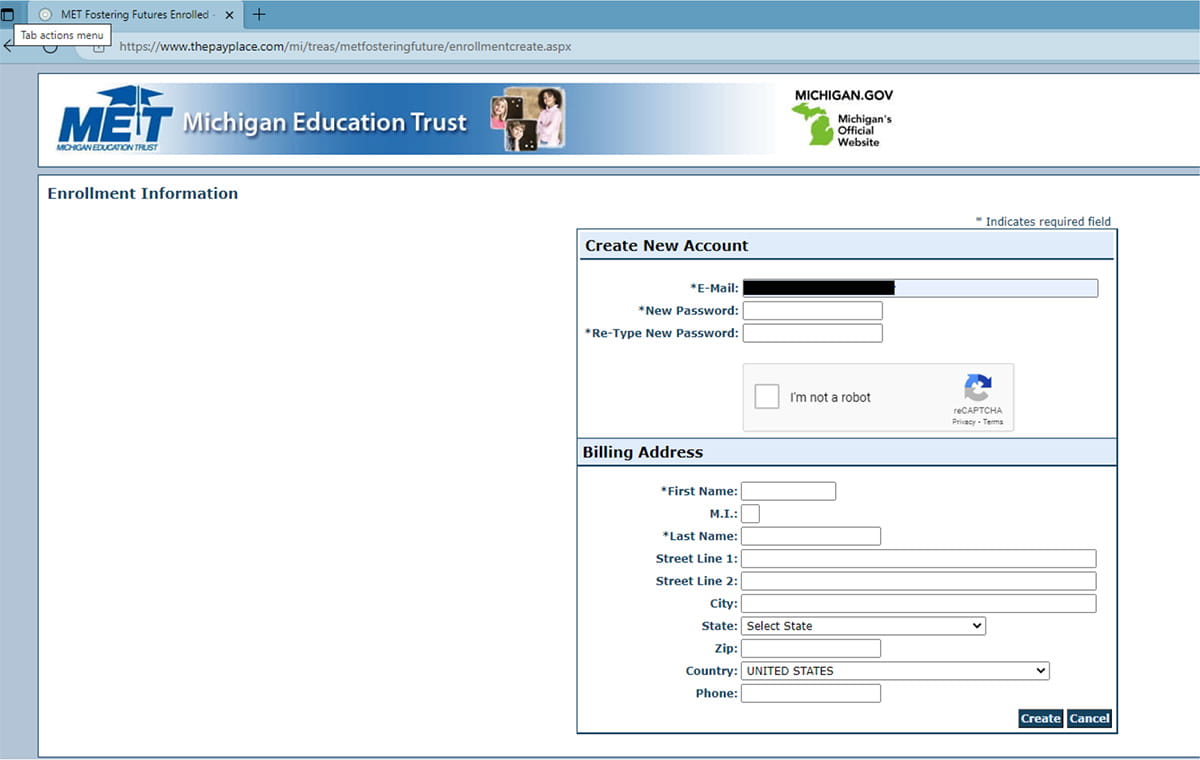
Step 3 - Fill out new account information

Screenshot of filling out new account information on the donation website

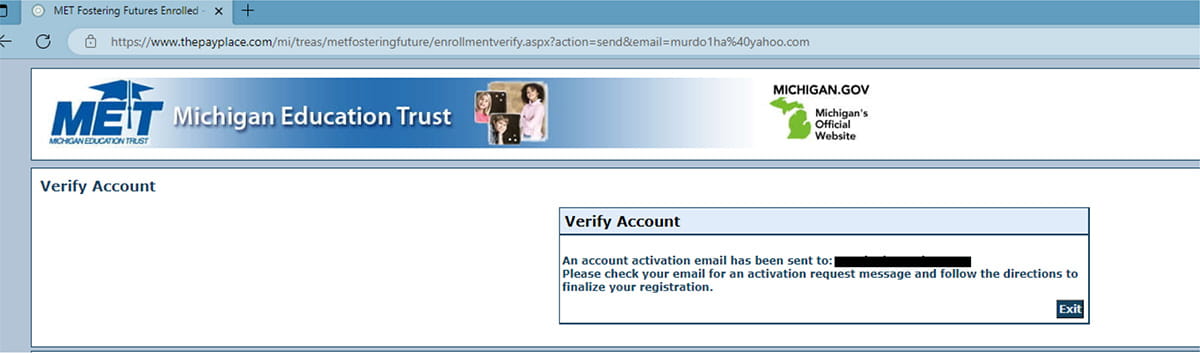
Step 4 - Go to email and verify account

Screenshot of the verify account page on the donation website

Step 5 - Click link in email

Screenshot of the enrollment verification email

Step 6 - Your account is now activated

Screenshot of the activation success page on the donation website

Step 7 - Log in

Log in to your new account with your email and password.

Screenshot of the login page of the donation website.

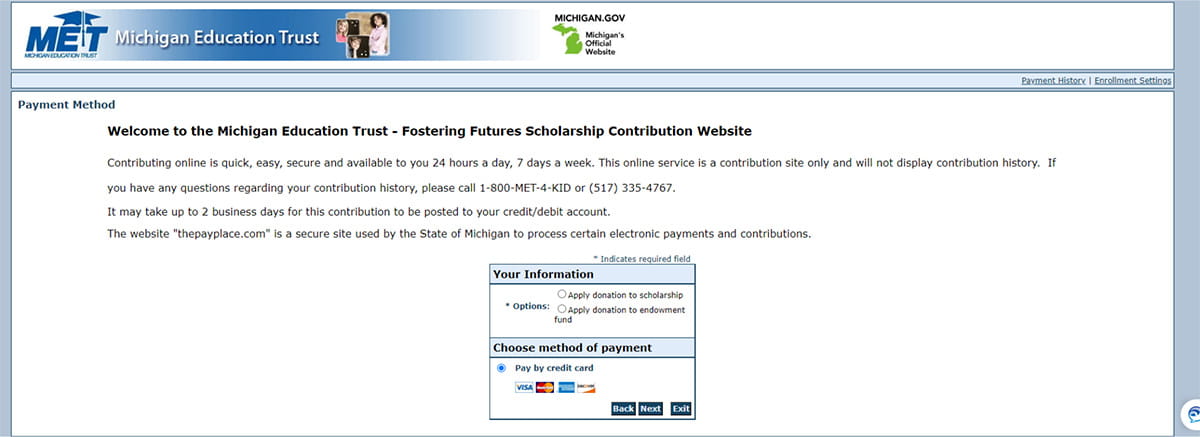
Step 8 - Choose the type of donation

You have the ability to do the following:

  • Apply donation to scholarship
  • Apply donation to endowment fund

Screenshot of the donation website, where you select your type of donation.

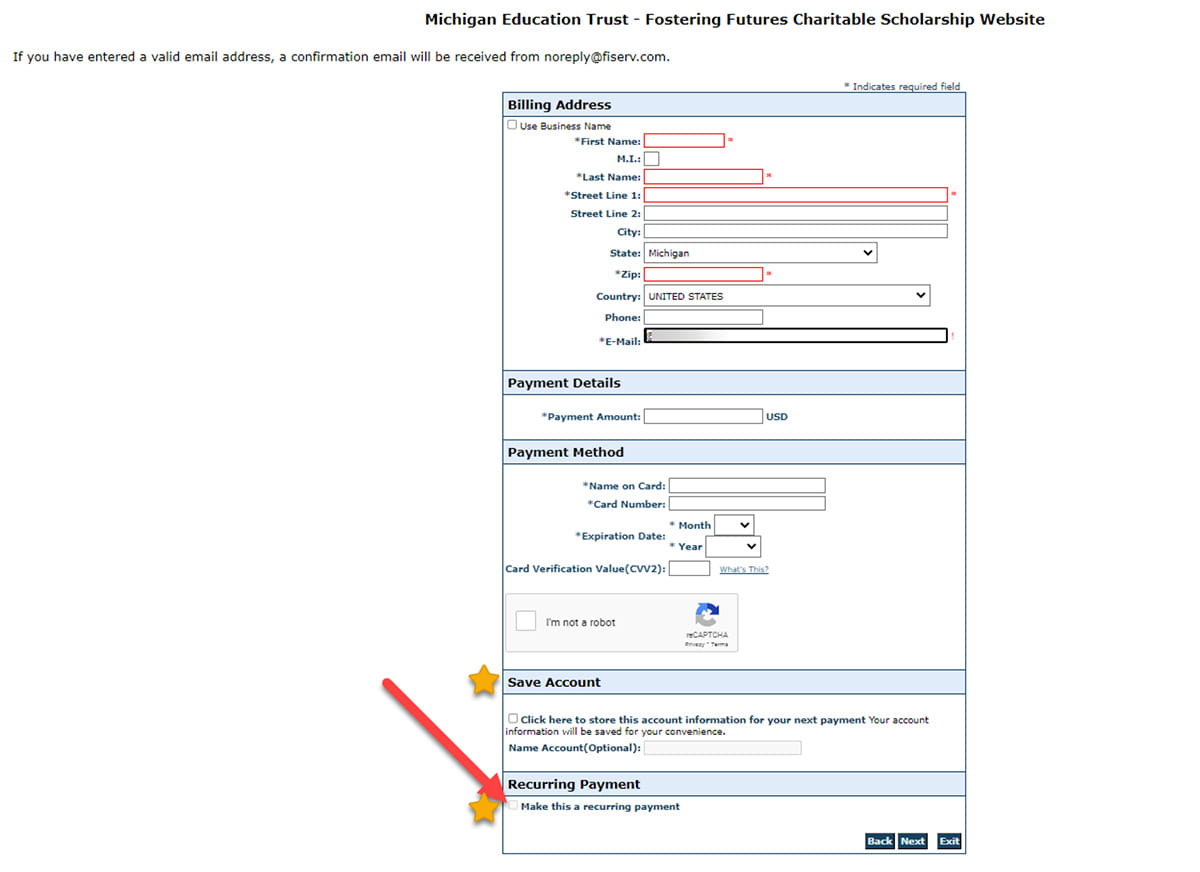
Step 9 - Complete the donation form

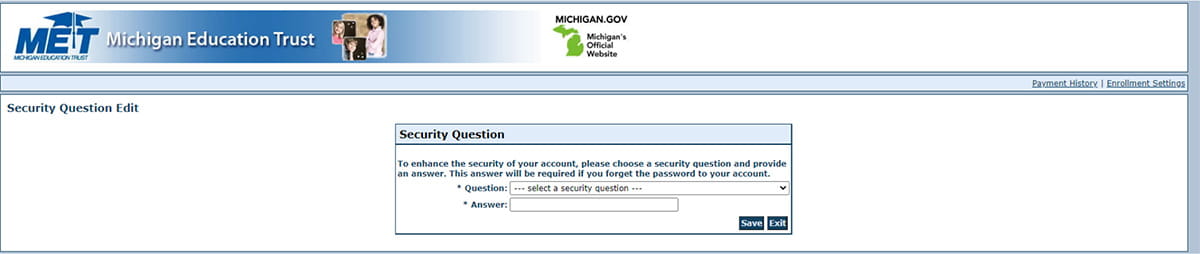
If you want to have this saved as a recurring donation save you bank account information and select the box for recurring payment.

Screenshot of completing the form on the donation website

Step 10 - You're all set!

Thank you for supporting the Fostering Futures Scholarship Trust Fund!