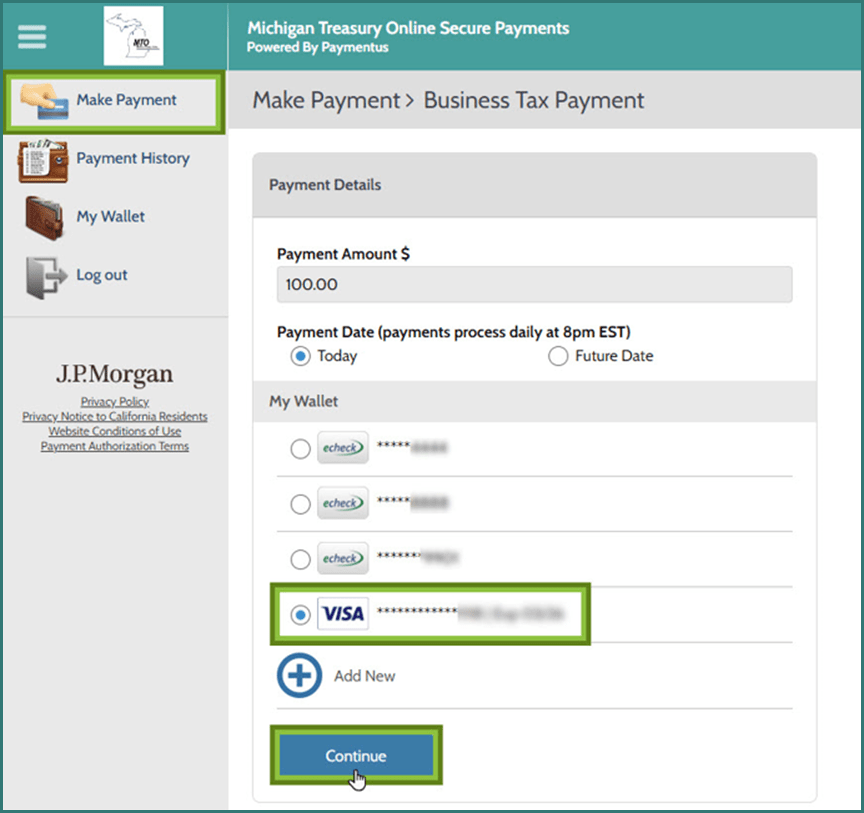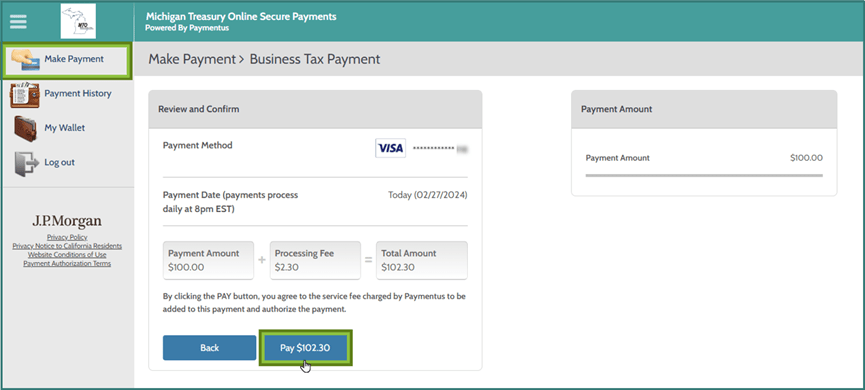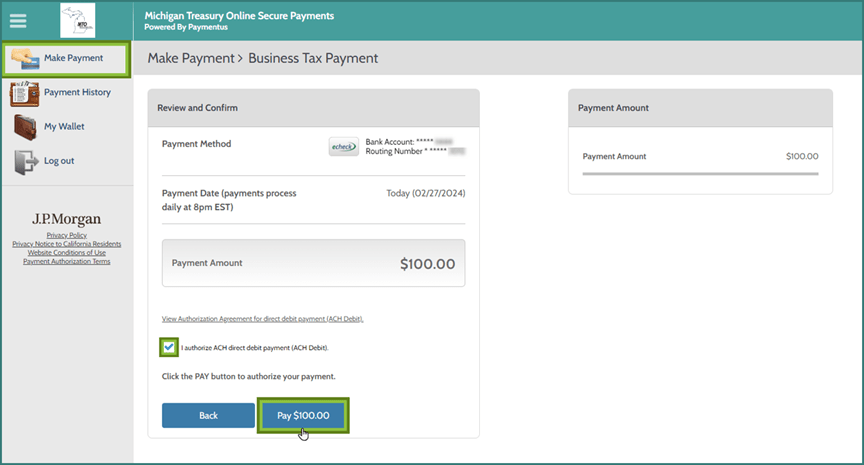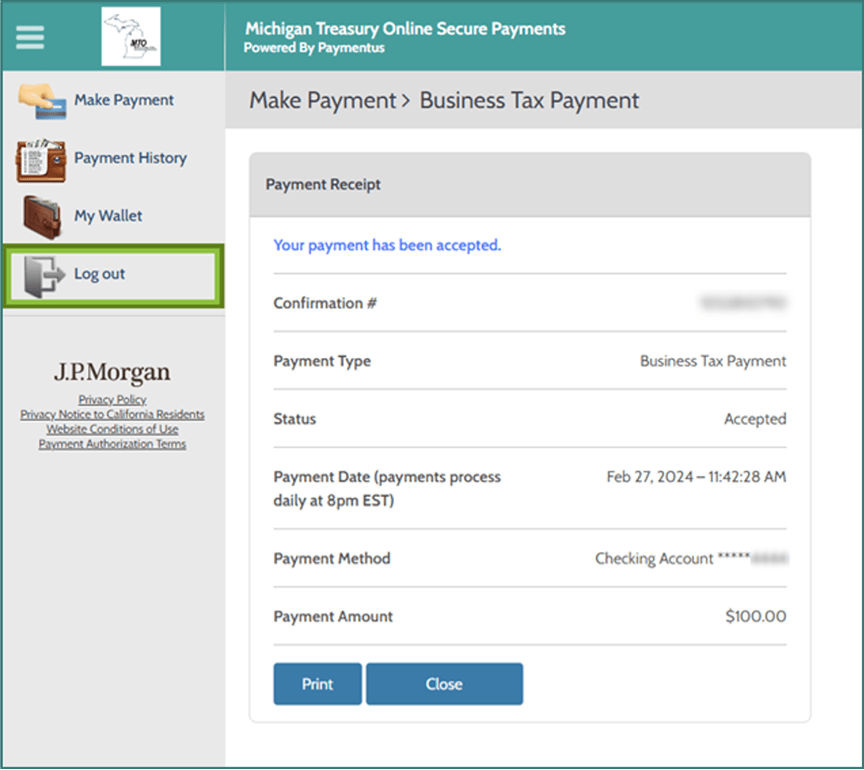

Scheduling a Payment Through MTO
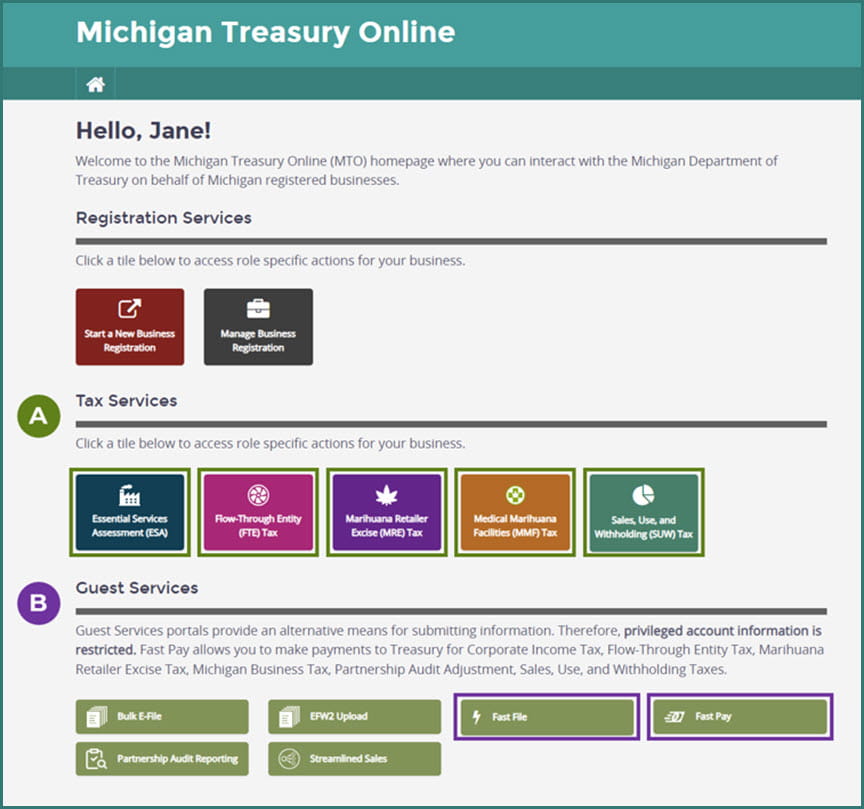
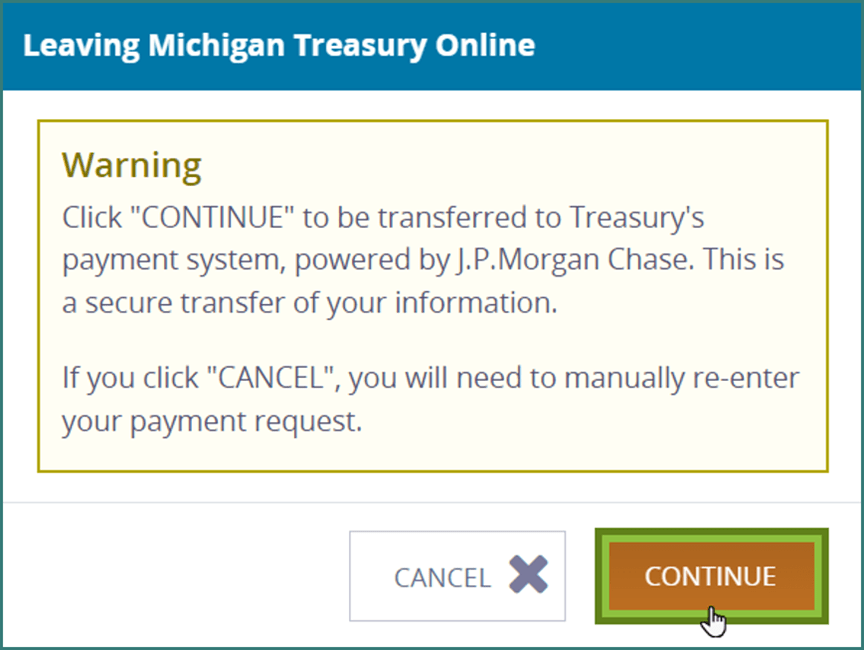
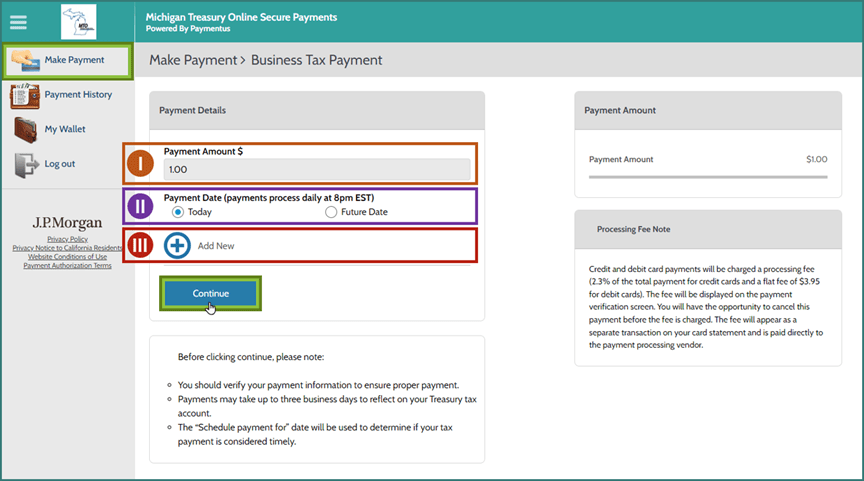
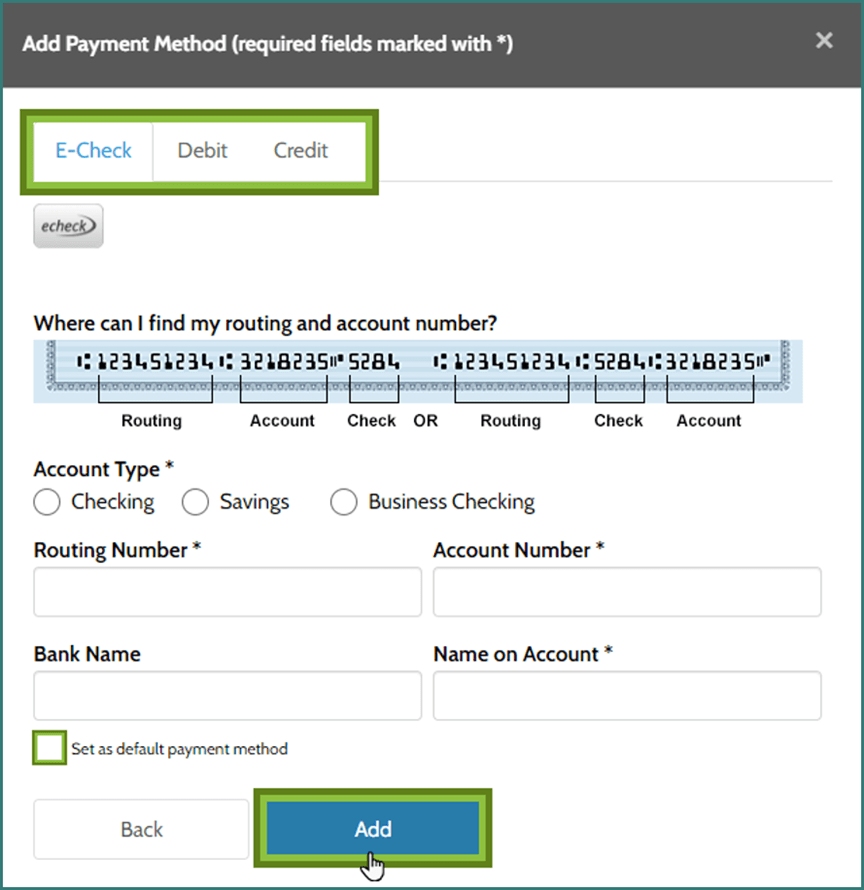
This tutorial demonstrates how to navigate the payment platform, Paymentus, through Michigan Treasury Online (MTO). This tutorial begins where the MTO portion of initiating a business tax payment ends. Scheduling a business tax payment is done in a few easy steps.
Payment Types:
- Same-Day eCheck Payments will process at 8:00 p.m. ET, unless scheduled after 8:00 p.m. ET (in which case it will process at 8:00 p.m. ET the next day).
- Same-Day Debit/Credit Card Payments will process immediately and cannot be cancelled online.
- Future Payments (echeck or card) can be scheduled up to 365 days in advance and will process at 8:00 p.m. ET on the scheduled day.
All payments will be honored as received on the day the MTO user schedules it to process. Payments can be made any day of the week – including weekends and holidays and will be reflected on the account within 72 hours.
Notes:
- If you have not yet set up credentials for MTO, view the MTO Tutorials page and learn how to create a personal user profile as well as connect your profile to one or multiple Treasury business tax accounts.
- For guidance on using the MTO payment pathways (Fast Pay through Guest Services as well as Make a Payment or File and Pay a Tax Return through Tax Services) visit the MTO Help Center.