Some Treasury call centers and web platforms will be temporarily unavailable during the November system upgrades.
Review the Outage List


Connect Your Tax Account
Connect Your Tax Account
Step by Step Guide for Connecting Your Tax Account
-
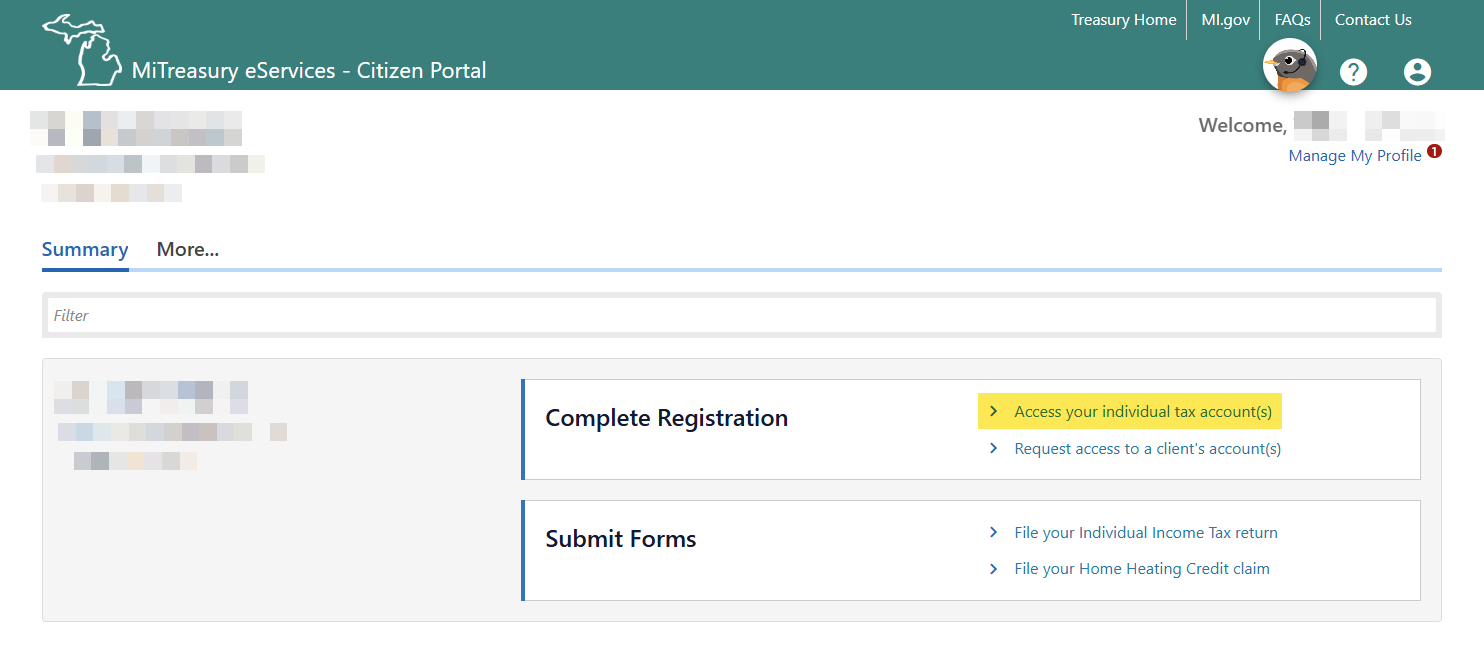
Begin connecting your tax account
After you have logged in to MiTreasury eServices – Citizen Portal, you will arrive on the MiTreasury eServices - Citizen Portal dashboard.
Use the Access your individual tax account(s) link in the Complete Registration area of the Summary page.
-
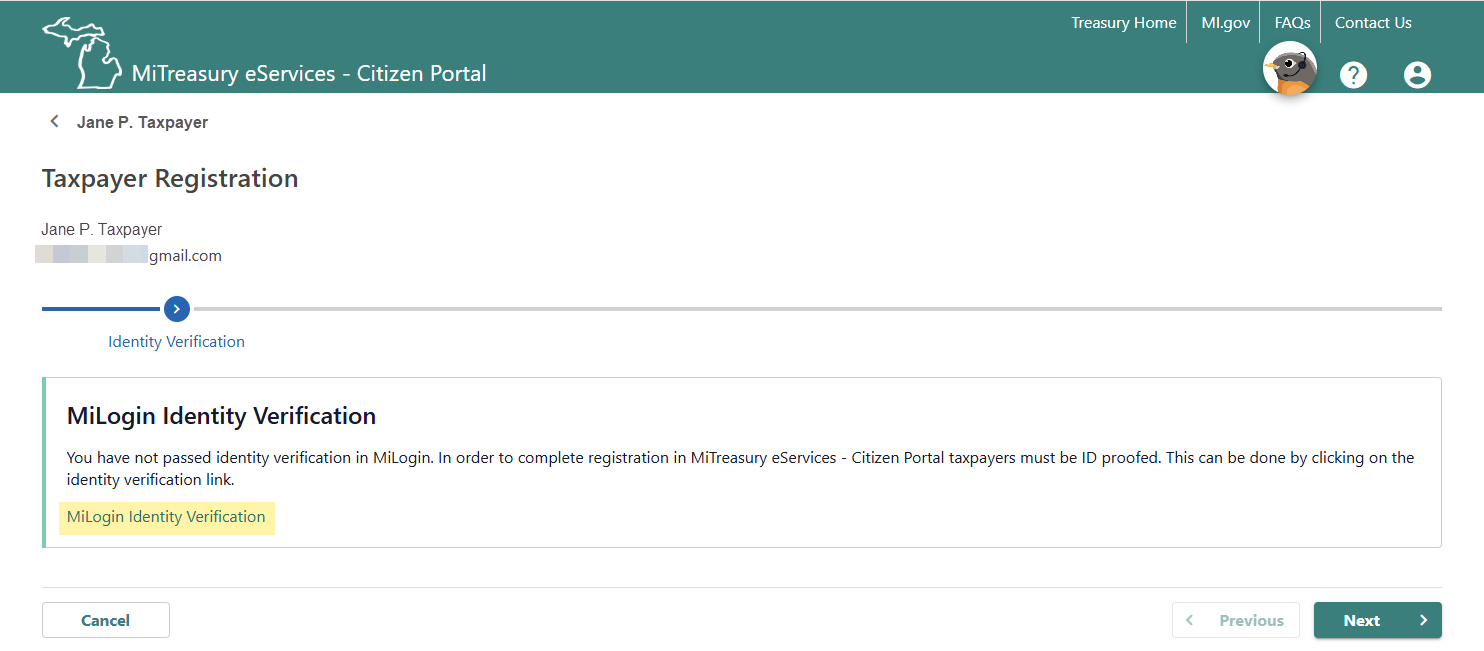
Verify your identity
Use the MiLogin Identity Verification link to begin the process of verifying your identity.
To complete this process, you will need two things:
- Your Michigan driver’s license or state ID
- A camera-enabled device with an Internet connection
For step-by-step instructions, refer to MiLogin’s Identity Proofing video.
When you receive the “Congratulations” message on MiLogin, use the Continue button to return to the MiTreasury eServices – Citizen Portal.
-
Begin Taxpayer Registration
After finishing the identity verification process, you will return to the MiTreasury eServices - Citizen Portal dashboard.
Use the Access your individual tax account(s) link in the Complete Registration area of the Summary page.
-
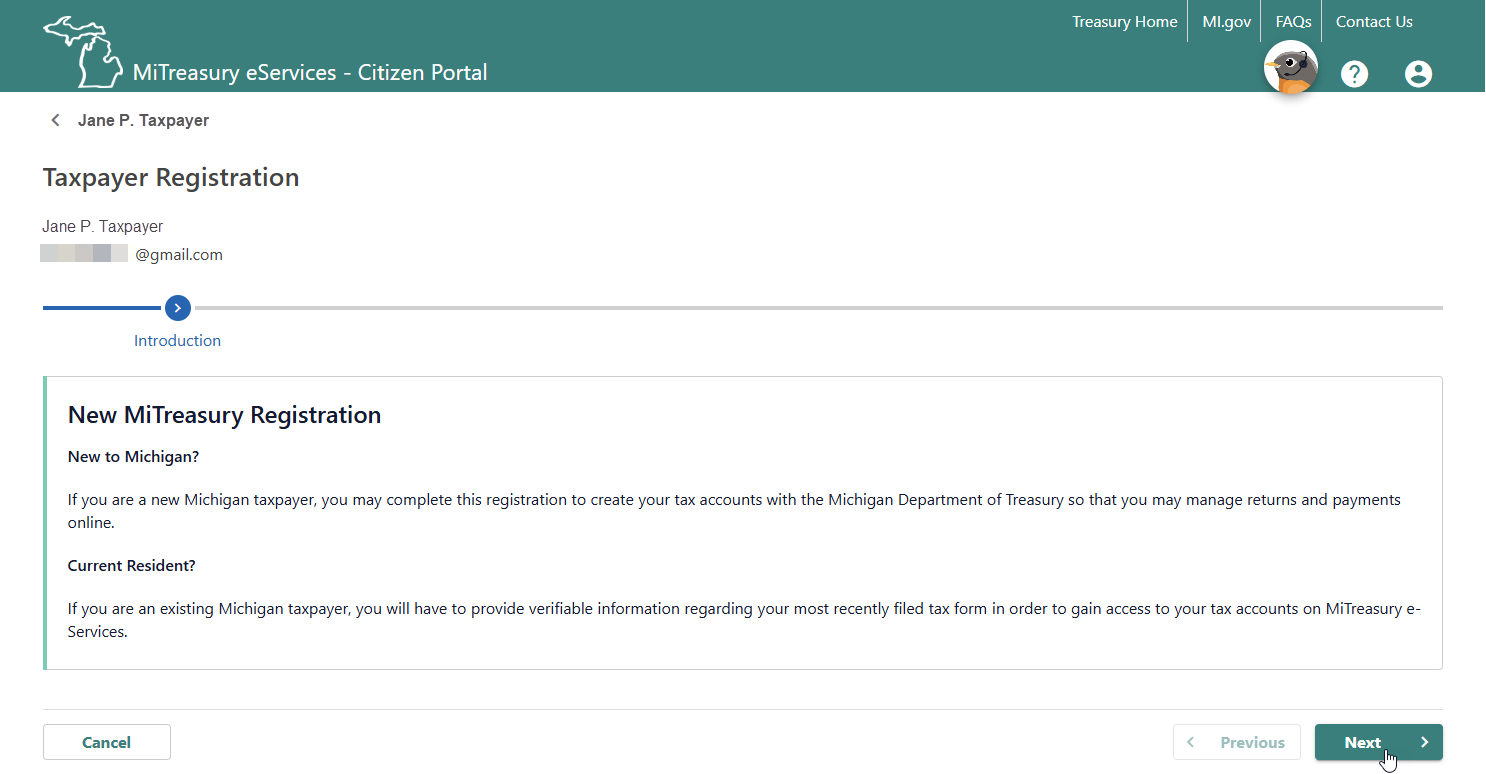
Taxpayer Registration - Introduction page
Use the Next button to acknowledge that you may need to provide information about yourself to complete the registration or provide an answer to a shared secret question using information from the last Michigan tax return you filed in order to gain access to your tax account online.
-
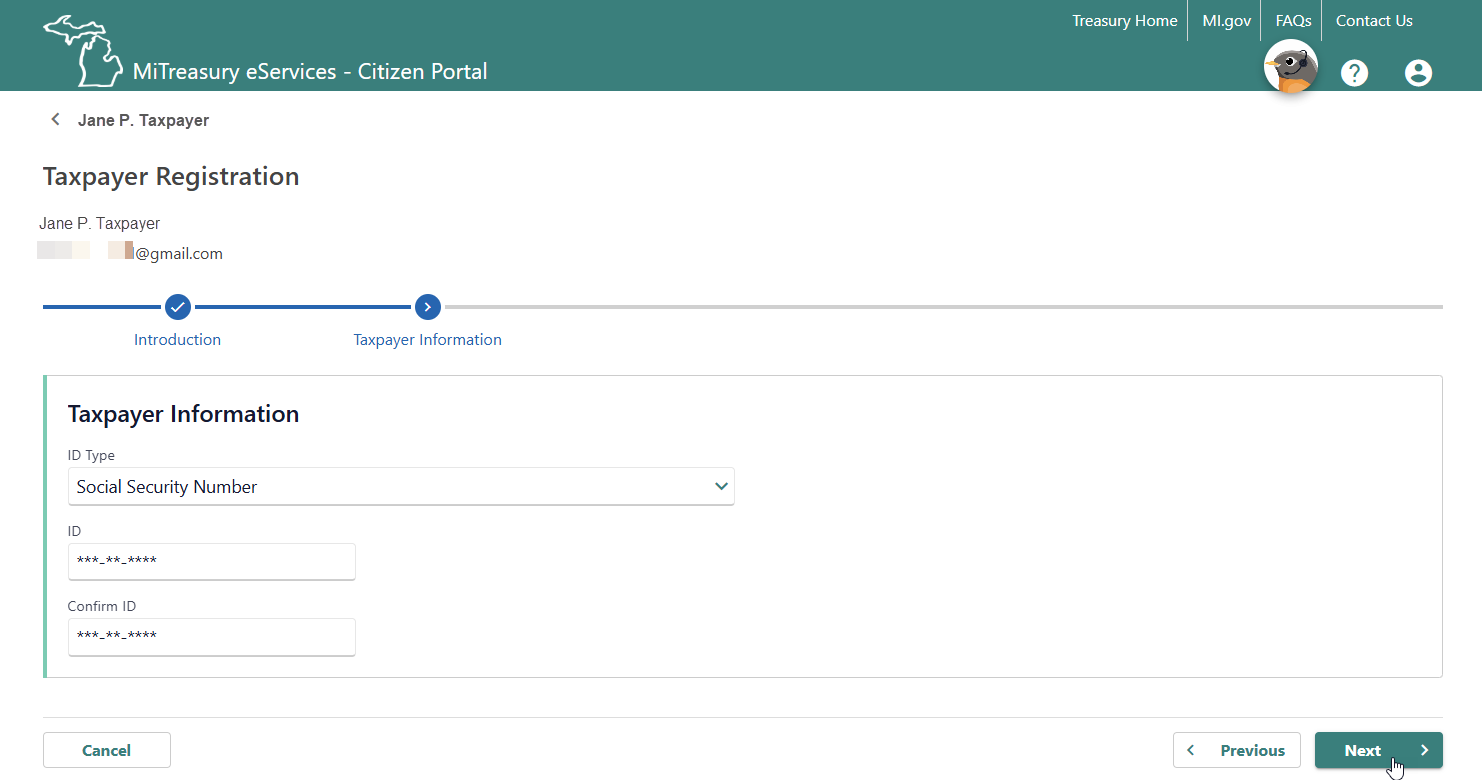
Taxpayer Registration - Taxpayer Information page
Provide your Social Security number or Taxpayer Identification Number.
Use the Next button to continue.
-
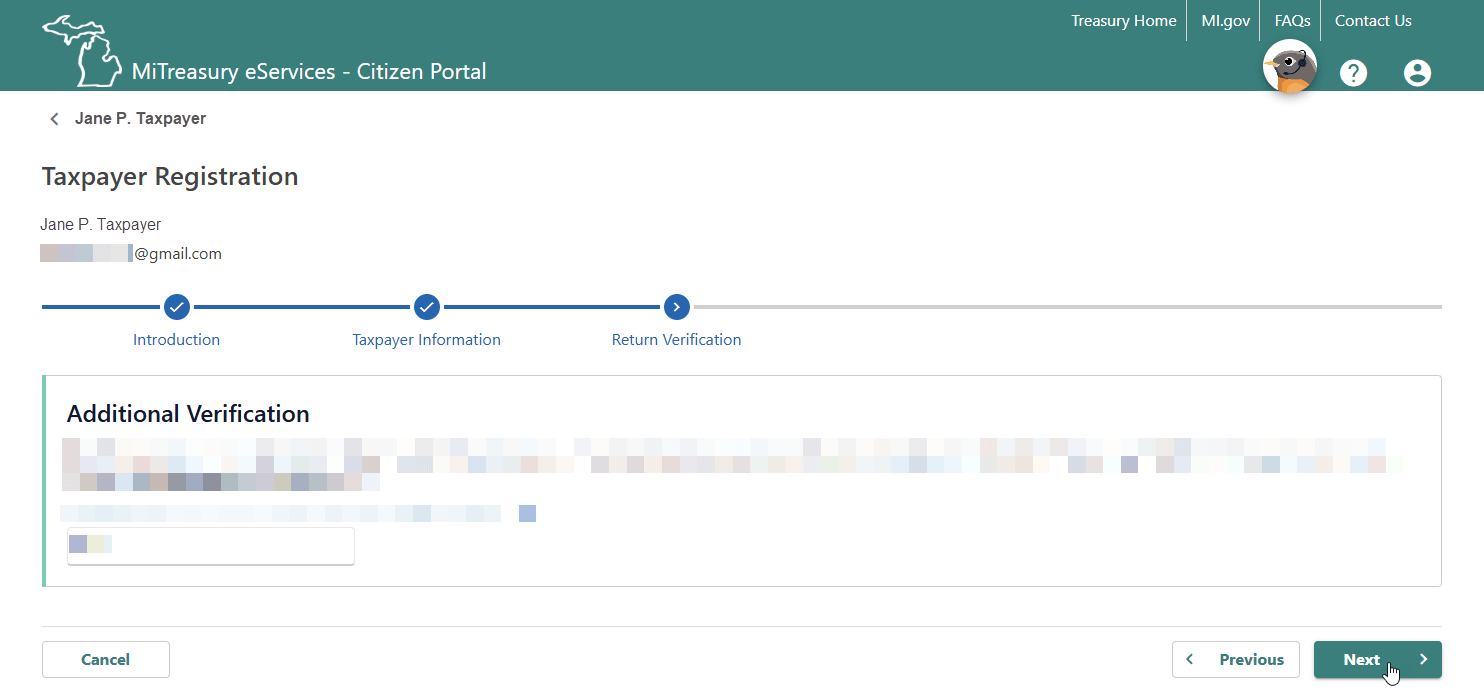
Taxpayer Registration - Return Verification
Answer the shared secret question.
Use the Next button to continue.
-
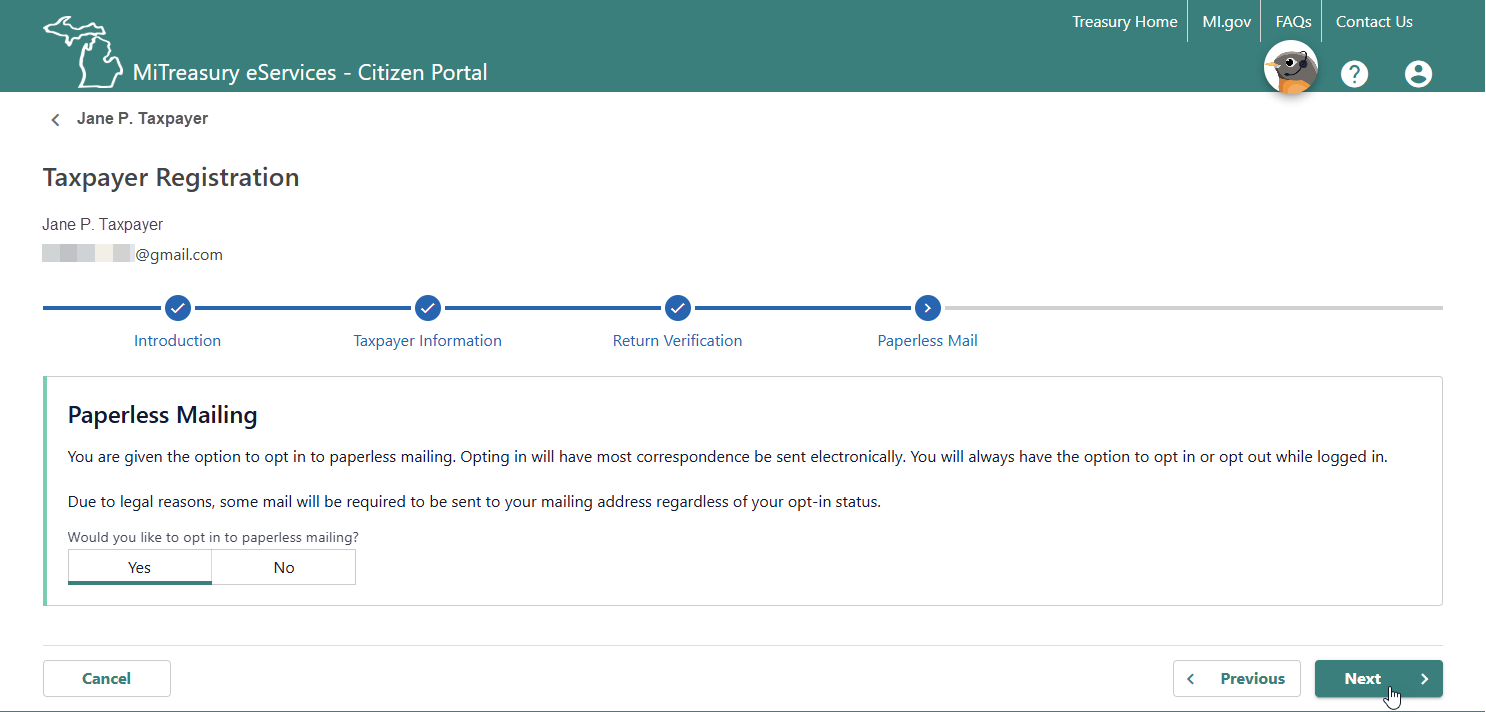
Taxpayer Registration - Paperless Mail page
Decide if you would like to opt in to paperless mailing.
Use the Next button to continue.
-
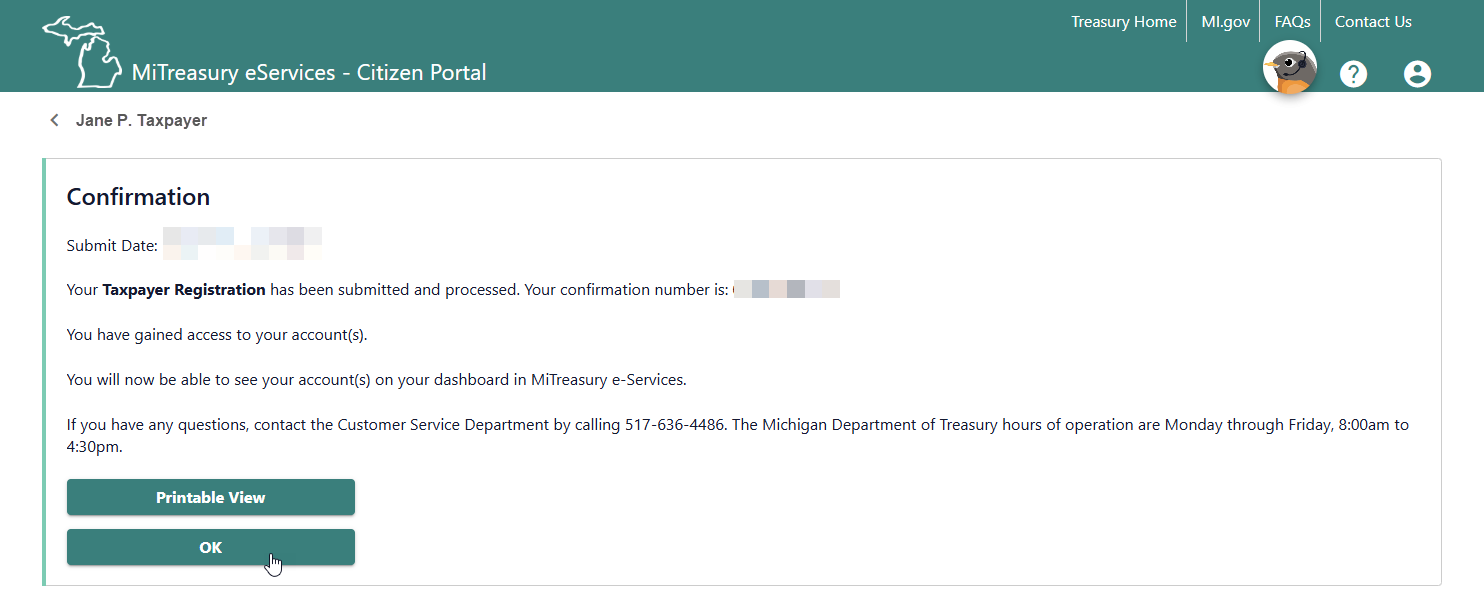
Taxpayer Registration - Confirmation page
Read and agree to the Terms and Conditions.
Use the Submit button to continue.
-
Receive your confirmation number
Your confirmation number will be displayed.
Use the OK button to continue.
-
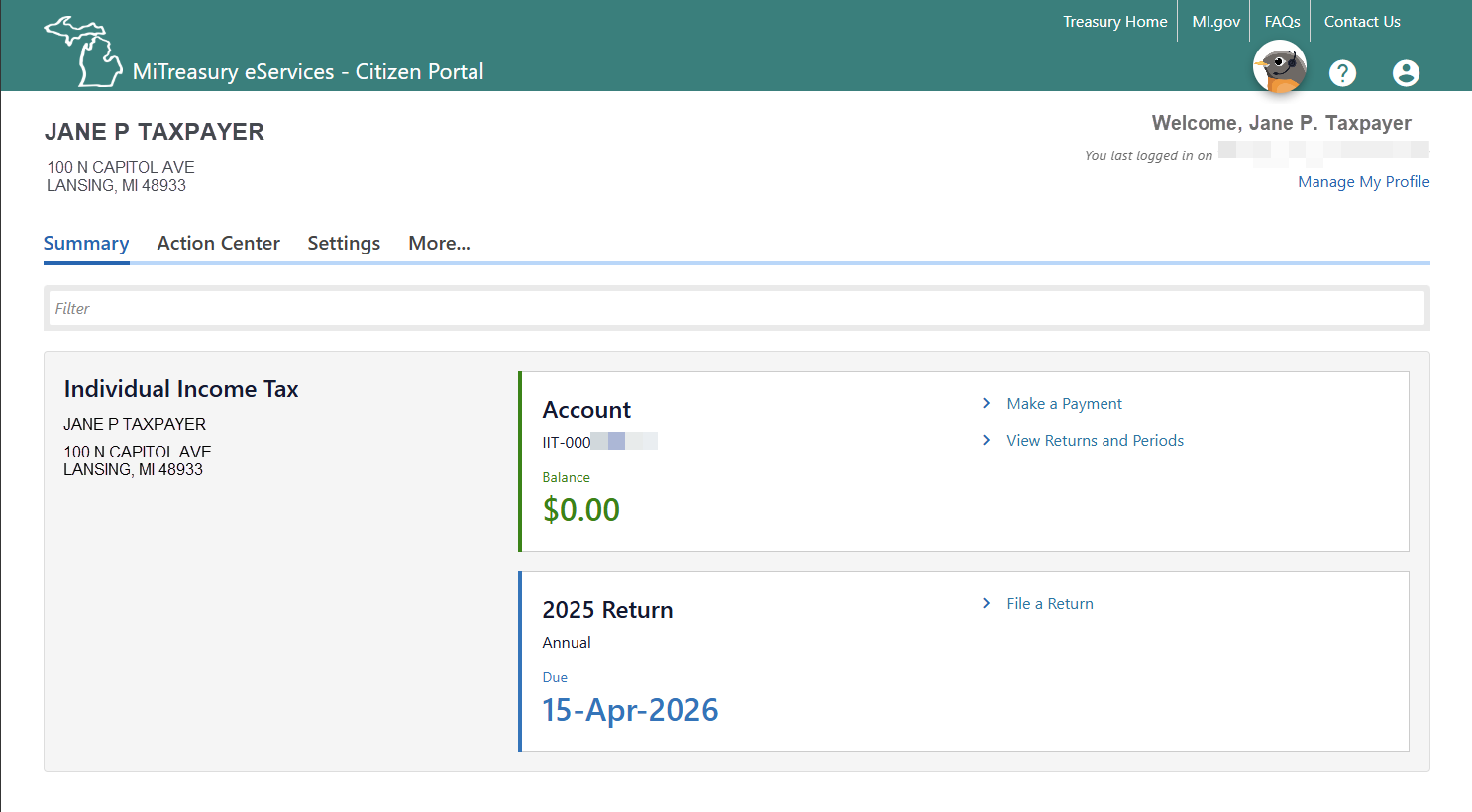
Return to the dashboard
You will return to the MiTreasury eServices – Citizen dashboard. Congratulations! You have connected your tax account!
You can begin interacting with Treasury through the Connected Services.
Things to do on the Summary page
- File a return (Michigan Individual Income Tax return)
- Make a Payment
- View filed tax returns and information by tax period
Things to do on the More page.
- File Home Heating Credit claim
- View payments and balances
- Including Estimated Payments
- Review the status of your electronic submissions
- View and send messages with Treasury
- View Treasury-issued letters
- Respond to a Letter
- View payments and balances
- Including Estimated Payments
- Submit Power of Attorney authorization for a third party
- View and manage third-party accesses and requests
- Update your tax account information


