
- Use the three horizontal dots for the layer you want to filter.
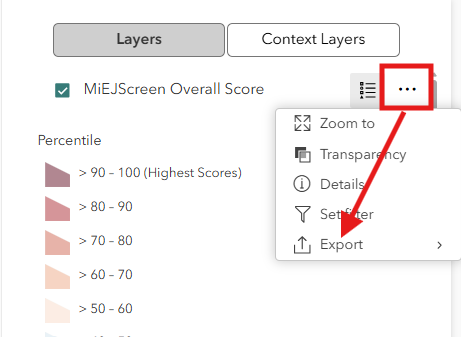
- Select “Export” from the list of options.
- Select the file format to download from the list.
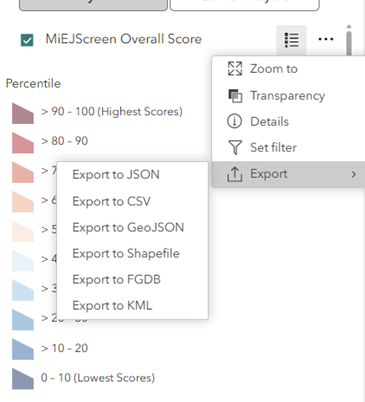
- After a brief loading time, the file will download to your typical download destination.
Unsupported Browser Detected
The web Browser you are currently using is unsupported, and some features of this site may not work as intended. Please update to a modern browser such as Chrome, Firefox or Edge to experience all features Michigan.gov has to offer.
Supported Browsers
